The best free Bootstrap admin dashboard templates in November 2026 are AdminLTE 4, CoreUI Free and Tabler. All three are MIT-licensed, run on Bootstrap 5 without jQuery and get regular updates. The other six cover narrower jobs: a lightweight prototype, a Laravel or Django backend, a colorful client demo, or a bare starting point. Each entry lists the official demo, repo and package, so you can open the demo and install the template right away.
Key takeaways
- AdminLTE 4 (v4.10.2 on npm) is the best free all-rounder: Bootstrap 5.3, no jQuery, MIT license, 45K+ GitHub stars.
- Build production dashboards on Bootstrap 5.3.9. Bootstrap 6 is still an alpha, and Bootstrap 4 is end of life.
- The free tiers of CoreUI, Sneat and BootstrapDash leave out themes, plugins and support. Read the license before you start client work.
- Gentelella v4 is not among the main picks. A short note on it follows the reviews.
- Download from the maker’s own GitHub organization or npm package, not from forks or re-upload sites.
Fact-checked
We checked these key facts against the sources named, on November 24, 2026:
- Bootstrap 4 reached end of life on January 1, 2023, and Bootstrap 3 on July 24, 2019 (source: getbootstrap.com)
- According to AdminLTE’s changelog, the 4.9.0 release (August 26, 2026) stops the header, sidebar and footer from printing, so reports use the full paper width (source: github.com)
How these templates were chosen
Each template had to pass four filters, applied in this order:
- The maker still offers and maintains it.
- Its license clearly allows commercial use.
- It runs on a supported Bootstrap version.
- It covers the real work of an admin panel: a responsive sidebar layout, tables, forms, charts and auth pages.
Upkeep and license counted most. An abandoned template or a vague license costs more later than a slightly plainer design does. Visual polish and how easily a template takes a client’s brand came next. GitHub stars only broke ties. The details come from each maker’s site, live demo, documentation and changelog, checked in November 2026. One well-known name, Gentelella, is not among the main picks. A short note on it follows the reviews.
The best free Bootstrap admin dashboard templates (quick picks)
Here are the short answers, checked in November 2026. The full reviews, with demo and download details, come after the comparison table.
- AdminLTE 4: best overall. It is the most complete free template, with no jQuery and the biggest community.
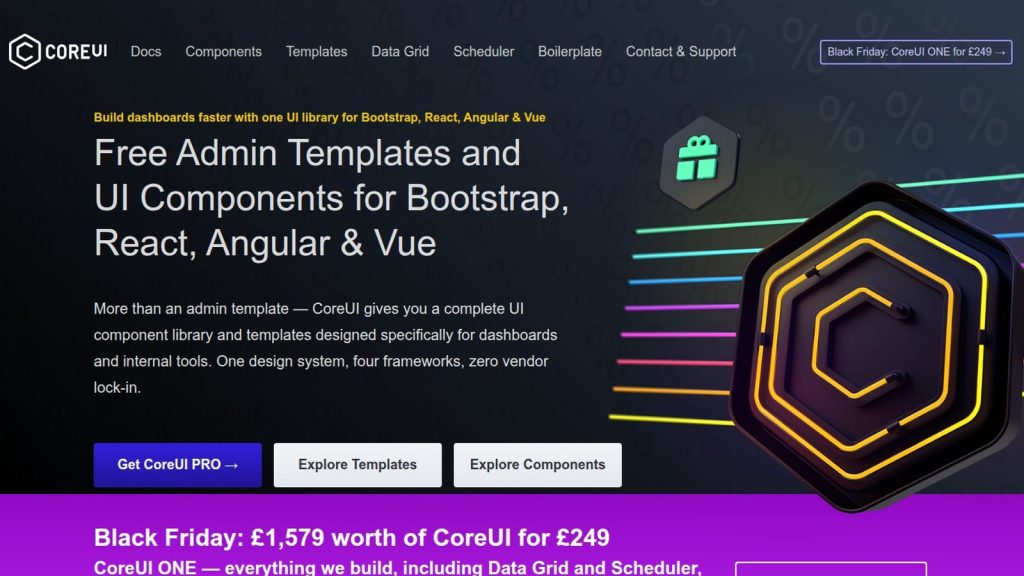
- CoreUI Free Bootstrap Admin Template: best if you plan to scale. It has React, Vue and Angular versions plus a paid upgrade path.
- Tabler: best-looking free option. Its clean, modern UI needs little restyling for SaaS work.
- Mazer: best lightweight pick without jQuery. It is simple, fully free and easy to read.
- Purple Admin Free: best for a colorful, gradient-heavy look on Bootstrap 5, under MIT.
- Sneat Free: best if you want ready-made free Laravel, Django or ASP.NET Core versions.
- Start Bootstrap SB Admin: the most minimal real template on Bootstrap 5.
- Star Admin 2 and other BootstrapDash free templates: the most visual variety. Check each license carefully.
- Official Bootstrap Dashboard example: the best bare starting point for a quick prototype.
Comparison table: versions, licenses and where to download
Use this table to rule out templates quickly. Check the Bootstrap version and jQuery columns first, then the license. The last column names the official place to get each template.
| Template | Maker | Bootstrap | jQuery? | License | Latest version / update | Download from |
|---|---|---|---|---|---|---|
| AdminLTE 4 | ColorlibHQ | 5.3 | No | MIT | v4.10.2 (npm, Nov 2026) | GitHub ColorlibHQ/AdminLTE releases, npm admin-lte |
| CoreUI Free | CoreUI (creativeLabs) | 5 (6.0 alpha line in docs) | No | MIT | v5.6.0, Aug 10, 2026 | GitHub coreui/coreui-free-bootstrap-admin-template |
| Tabler | Tabler (codecalm) | 5 | No | MIT | 1.6 | GitHub tabler/tabler, npm @tabler/core |
| Mazer | zuramai | 5 | No | MIT | v2.x | GitHub zuramai/mazer |
| Purple Admin Free | BootstrapDash | 5 | Yes | MIT | Current free listing | GitHub BootstrapDash/PurpleAdmin-Free-Admin-Template |
| Sneat Free | ThemeSelection | 5.3 | Yes | MIT, attribution required | v3.0.0, March 2026 | themeselection.com, npm sneat-bootstrap-html-admin-template-free |
| SB Admin | Start Bootstrap | 5 | No | MIT | v7.0.7 | GitHub StartBootstrap/startbootstrap-sb-admin, npm |
| SB Admin 2 | Start Bootstrap | 4 (end of life) | Yes | MIT | Legacy | Not recommended for new work |
| Star Admin 2 Free | BootstrapDash | 5 | Yes | BootstrapDash free license (limited) | Current free listing | bootstrapdash.com product page |
| Bootstrap Dashboard example | Bootstrap team | 5.3.9 | No | MIT | Nov 11, 2026 | getbootstrap.com Examples page |
GitHub stars when checked: AdminLTE 45K+ (with about 18,000 forks) and Tabler about 42K. Stars show past popularity, not current upkeep. The version column tells you more.
Designer tip
Before you download, open the repo’s Releases tab and Issues list. A release in the last six months and maintainers who answer issues tell you more than the star count.
Which Bootstrap version should your template use in late 2026?
Use Bootstrap 5.3.9 for anything you plan to ship. Bootstrap 6 is an alpha with no stable release date. Bootstrap 4 reached end of life on January 1, 2023, and Bootstrap 3 on July 24, 2019. Neither gets features or security fixes.
| Version | Status | Key date | Use for new dashboards? |
|---|---|---|---|
| Bootstrap 6 | Alpha 2 | Alpha 1 Oct 8, 2026; Alpha 2 Nov 23, 2026 | No, experiments only |
| Bootstrap 5.3.9 | Current stable | Released Nov 11, 2026 | Yes |
| Bootstrap 4.6 | End of life | Jan 1, 2023 | No |
| Bootstrap 3 | End of life | July 24, 2019 | No |
Bootstrap 5.3.9: the safe default
Bootstrap 5.3.9 is the version to target. The official Bootstrap blog says it adds a new .modal-xxl size and fixes bugs in Carousel, ScrollSpy, tooltips and popovers. Admin panels use all of these components, so the patch is worth having.
The 5.3 line also added color modes (data-bs-theme). That is why every modern template on this list can offer dark mode without a separate stylesheet.
Did you know?
According to the Bootstrap blog, the 5.3.9 release on November 11, 2026 added .modal-xxl, an extra-extra-large modal. It suits admin data views such as wide tables or record editors that feel cramped in .modal-xl.
Bootstrap 6 alpha: what changes and why not to ship on it yet
Bootstrap 6 Alpha 2, released November 23, 2026, adds native grid gaps and a new Combobox component. The Bootstrap team says alpha builds are not for production, and it has not announced a stable date.
CoreUI’s documentation already has a 6.0-alpha line next to 3.x, 4.x and 5.x, so CoreUI is the best-prepared option if you want to follow the alpha. Even so, waiting for Bootstrap 6 is the wrong call for a client project starting now. Upgrading a well-structured 5.3 template later costs less than building on an API that may still change.
Still on Bootstrap 4? Your options
Searches for a free “Bootstrap 4 admin template download” still turn up plenty of code, including SB Admin 2, older Skydash builds and AdminLTE 3. All of it runs on an unpatched framework. The wider ecosystem is moving on as well: DevExpress ended Bootstrap v4 support for its Blazor components in v26.1, announced March 24, 2026.
You have three realistic options:
- Migrate. AdminLTE publishes a “Migration from v3” guide, and its v4.3.1 changelog includes a replacement table for the jQuery plugins AdminLTE 3 relied on. For example, jsVectorMap replaces jQuery Mapael.
- Pay for extended support. HeroDevs sells Never-Ending Support security patches for Bootstrap 3 and 4. This fits a large legacy app when no rewrite is budgeted yet.
- Keep it internal and isolated. A Bootstrap 4 panel behind a VPN with no user-generated content is lower risk. It is still technical debt.
Template-by-template reviews
Each review starts with the version and the official places to get the template. It then covers what you get for free, what costs money, the stack and who the template suits. Prices and licenses were checked in November 2026.
AdminLTE 4
Version v4.10.2 on npm · checked November 2026 · MIT
Get it: Live demo on adminlte.io · GitHub: ColorlibHQ/AdminLTE · npm: admin-lte · Packagist: almasaeed2010/adminlte · Docs: adminlte.io/docs
AdminLTE is the default choice for good reason. ColorlibHQ develops it actively, and it is free under MIT. It first shipped in December 2013, before Bootstrap 4 existed. Its homepage reports 45K+ GitHub stars, about 18,000 forks, 8.5 million downloads across npm and Packagist, and 18+ plugins.
- Stack: Bootstrap 5.3 and vanilla JavaScript written in TypeScript, with no jQuery. Version 4.0.0 was the first stable v4 release.
- Recent releases: v4.3.0 added sidebar search, ribbons, social widgets, a gallery page and a search results page. The 4.9 releases reworked printing. The 4.10 line is the current one.
- Demo pages: These include a Calendar page using FullCalendar and a Kanban board using SortableJS for drag-and-drop between lanes. The core package does not bundle calendar or chart libraries, so you add them only where you need them.
- Price and license: Free, MIT. Commercial use is allowed. Keep the copyright notice in the source.
- Fonts: The default demo loads Source Sans 3, which uses the SIL Open Font License, so commercial use is allowed.
Did you know?
According to AdminLTE’s changelog, the 4.9.0 release (August 26, 2026) stops the header, sidebar and footer from printing, so reports use the full paper width. Adding data-lte-print="app" brings them back.
The v4 line does not bundle jQuery or Select2. If your AdminLTE 3 pages depend on Select2, plan to rewrite them or use a vanilla alternative.
AdminLTE 3 or 4: is it worth migrating? For an active product, yes. Version 3 ties you to Bootstrap 4 and jQuery, which block both security updates and modern bundlers. For a stable internal tool that nobody touches, schedule the move rather than rushing it.
Designer’s note: AdminLTE looks practical rather than striking. Its card-heavy layout takes a brand color well, but the default type and spacing look generic until you adjust them.
Best for: internal tools, CRUD backends, CRM and project boards, and teams that want the largest pool of answered questions.
CoreUI Free Bootstrap Admin Template
Version v5.6.0 · first released August 4, 2016 · last updated August 10, 2026 · MIT
Get it: Live demo on coreui.io · GitHub: coreui/coreui-free-bootstrap-admin-template · npm: @coreui/coreui (component library) · Docs: coreui.io/bootstrap/docs
CoreUI claims 58M+ downloads across its products. The free template is its entry point.
- Stack: Bootstrap 5 with CoreUI’s own component layer, no jQuery, and charts built on Chart.js.
- Variants: Free admin templates in plain HTML, React, Vue and Angular share one design. This is CoreUI’s strongest selling point.
- Price and license: Free, MIT. Commercial use is allowed.
- Bootstrap 6: The docs include a 6.0-alpha line.
What the free version leaves out: CoreUI’s comparison table says Pro adds internationalization (i18n), plugins such as calendars and maps, human technical support and long-term support. Its pricing page describes the free tier as a starter set of components for hobby projects, learning or internal tools. On the theme demo page, four of the five themes are Pro-only.
Pro pricing: In November 2026, CoreUI’s pricing page listed the Bootstrap bundle at $127 per developer, with a perpetual license and 12 months of updates and support. The license is per developer writing code with CoreUI Pro, and there is no limit on end users. Seasonal discounts usually appear around Black Friday and Cyber Week, so check the pricing page on the day you buy.
Designer’s note: CoreUI’s default theme is tidy and corporate, and its color modes are well thought out. Its components wrap Bootstrap’s, so you theme them through Sass variables you already know.
Best for: SaaS backends that may later move to React, Vue or Angular, and teams that want a paid support option.
Tabler
Version 1.6 · MIT
Get it: Live demo at preview.tabler.io · GitHub: tabler/tabler · npm: @tabler/core · Docs: tabler.io/docs
Tabler is the free template that looks most like a modern SaaS product out of the box. It is built on Bootstrap 5 and has about 42K GitHub stars.
- Latest line: Tabler 1.6 is the current release. The 1.5 line before it brought more than 250 changes, including a folding sidebar and a Customize panel for layout and color scheme.
- Pages: The demo is extensive. It includes a Tasks page and Activity and Settings pages. Kanban boards are listed as coming soon.
- Formats: HTML, Sass, npm and CDN.
- Ecosystem: Tabler Icons, a large MIT-licensed SVG icon set from the same team, matches Tabler’s line weight.
- Price and license: Free, MIT. Commercial use is allowed.
Designer’s note: The spacing, type scale and empty states are well balanced. Client work usually needs only a brand color and a new logo. The catch is that people recognize Tabler’s look, so for a premium client, change the corner radius and surface colors too.
Best for: client SaaS dashboards, analytics views and anyone who wants a good-looking Bootstrap 5 admin template without jQuery.
Mazer
Version v2.x · MIT
Get it: Live demo linked from the repo · GitHub: zuramai/mazer · Also listed on ThemeWagon
zuramai makes Mazer, a compact free admin dashboard on Bootstrap 5 without jQuery. ThemeWagon hosts a copy, but the original repository is zuramai/mazer.
- What you get: A dashboard, component pages, forms, tables, auth pages and a light/dark theme toggle in the v2.x line.
- Price and license: Free, MIT. There is no paid tier pushing you to upgrade.
Designer’s note: Mazer’s soft, rounded style suits education and small-business clients. Its small codebase is easy to strip down.
Best for: quick prototypes and small projects where you want simple code without jQuery.
Purple Admin Free
Bootstrap 5 · MIT · checked November 2026
Get it: Live demo and download on bootstrapdash.com · GitHub: BootstrapDash/PurpleAdmin-Free-Admin-Template · Vue version: BootstrapDash/purple-free-vue-admin-template
Purple Admin is BootstrapDash’s best-known free template, and the GitHub README describes it as a responsive admin template built on Bootstrap 5. The README credits Bootstrap 5, Material Design Icons, jQuery, Gulp and Chart.js.
- Look: Purple gradients, colorful stat cards and a light sidebar, all ready without custom CSS.
- Editions: HTML, plus free Vue and Angular versions. The Vue repo is also MIT.
- Price and license: Free, MIT. BootstrapDash sells Purple Admin Pro separately, and its Extended plan includes both Bootstrap and React versions.
The trade-off: The template still uses jQuery and a Gulp build. That is fine for a demo or a short-lived client panel, but it is a weaker base than AdminLTE 4 if you plan to move to React or Vue later.
Best for: client demos and small dashboards where a bold, colorful look sells the project.
Sneat Free
Version v3.0.0 · March 2026 · MIT, attribution required
Get it: Live demo and download on themeselection.com · GitHub: themeselection/sneat-bootstrap-html-admin-template-free · npm: sneat-bootstrap-html-admin-template-free · Laravel: themeselection/sneat-bootstrap-html-laravel-admin-template-free
ThemeSelection’s Sneat Free is a polished Bootstrap 5.3 template that uses jQuery.
- Editions: Free versions in HTML, Laravel, Django and ASP.NET Core MVC. The Laravel edition’s product page targets Laravel 12.
- What the free Laravel edition includes: A single vertical menu, a dashboard, one chart library, auth pages and Sass support.
- Price and license: Free, MIT, with attribution to ThemeSelection required. Sneat Pro for Bootstrap 5 was listed at $59 in November 2026. It adds six layouts, a horizontal menu and premium support, and it removes the attribution requirement.
Best for: Laravel, Django or ASP.NET Core teams that want a backend-ready starter without wiring up templates themselves.
Start Bootstrap SB Admin and SB Admin 2
SB Admin v7.0.7 · MIT
Get it: Live demo on startbootstrap.com · GitHub: StartBootstrap/startbootstrap-sb-admin · npm: startbootstrap-sb-admin
These two Start Bootstrap templates share a name but run on different stacks. Only SB Admin belongs in new work.
| SB Admin | SB Admin 2 | |
|---|---|---|
| Bootstrap | 5 | 4 (end of life) |
| jQuery | No | Yes |
| Charts and tables | Chart.js, Simple-DataTables | Chart.js, jQuery DataTables |
| License | MIT | MIT |
| Use for new work? | Yes, for minimal panels | No |
SB Admin 2 is everywhere, but it’s Bootstrap 4. Is that a problem? For new client work, yes. You would start with an unpatched framework and a jQuery dependency. SB Admin is plainer, but it is current.
Best for: a minimal internal panel that you plan to restyle yourself.
Star Admin 2 and other BootstrapDash free templates
Licenses vary by template · checked November 2026
Get it: Each template’s product page on bootstrapdash.com, which links its own demo and repo
BootstrapDash offers the most visual variety, with gradients, dark themes and colorful cards. The licenses differ from one free template to the next.
- Star Admin 2 Free: Built on Bootstrap 5. The GitHub repo says MIT, but BootstrapDash’s product page lists the “Bootstrapdash free license (Limited)”. Follow the vendor page. BootstrapDash says Pro adds unlimited project use and redistribution or resale rights.
- Corona: A dark-themed admin template. The free Angular edition is MIT. The license for the free HTML listing is not clearly stated, so ask before using it for client work.
- Skydash Free: The GitHub version runs on Bootstrap 4. Treat it as legacy.
BootstrapDash’s catalog also includes landing pages and resume templates, so filter for admin templates.
License note
A repo marked MIT can sit next to a stricter license on the vendor’s own site. For client work, follow the license on the maker’s product page and keep a copy of it with the project files.
Best for: visual client demos where the look matters more than a long upgrade path.
The official Bootstrap Dashboard example
Bootstrap 5.3.9 · November 11, 2026 · MIT
Get it: getbootstrap.com Examples page (Dashboard) · included in the Bootstrap examples download
The Dashboard example is a bare shell: a top bar, a responsive sidebar, one Chart.js chart and a table. It has no auth pages, form library or widgets.
Older tutorials often link to the v5.0 example. Use the 5.3.9 version, which adds the color-mode toggle.
Best for: quick prototypes, teaching, or developers who would rather add pieces than remove them.
Worth knowing: Gentelella v4
Gentelella was long one of the most-starred free admin themes (21K+ stars). In 2026, ColorlibHQ rebuilt it as v4 with Vite, SCSS and vanilla JavaScript. Version 4 dropped jQuery but still uses Bootstrap 5.3 throughout the v4.x line, including v4.2. It is still MIT-licensed and well maintained. It has 58 HTML pages, ECharts for charts, and a separate gentelella-laravel package for PHP 8.3+, Laravel 13 and Node.js 18+. It remains a Bootstrap 5.3 project. AdminLTE 4 and Tabler are still the stronger picks for most projects.
jQuery-free vs jQuery-based templates
Pick a template without jQuery for new work. Templates that still need jQuery are fine only for legacy backends or throwaway prototypes.
| No jQuery | Needs jQuery |
|---|---|
| AdminLTE 4, CoreUI, Tabler, Mazer, SB Admin, Bootstrap Dashboard example | Purple Admin Free, Sneat Free, Star Admin 2 Free, SB Admin 2, Skydash, AdminLTE 3 |
Why it matters:
- Weight: jQuery adds weight on every page, and old jQuery plugins tend to pull in more dependencies.
- Frameworks: If you plan to move to React, Vue or Livewire, jQuery code that edits the page directly will clash with the framework.
- Bootstrap itself: Bootstrap 5 dropped jQuery, so a template that still uses it carries an older plugin ecosystem.
The honest counter-argument: If your Laravel or Rails app already loads jQuery and your team knows it well, a jQuery template costs you very little. Just keep the Bootstrap version current.
Free vs Pro: what the paid versions actually add
Most free tiers give you enough to ship an internal tool. Pro tiers sell extra themes, plugins, support and wider license rights.
| Template | Free includes | Pro adds | Pro price (checked Nov 2026) |
|---|---|---|---|
| CoreUI | One theme, starter components, HTML/React/Vue/Angular | Four more themes, i18n, calendar and map plugins, human and long-term support | $127 per developer (Bootstrap bundle) |
| AdminLTE | Everything | No Pro tier for AdminLTE itself | Free |
| Tabler | Full template | No paid template tier | Free |
| Sneat | HTML, Laravel, Django and ASP.NET Core starters | Six layouts, no attribution, premium support | $59 (Bootstrap 5 HTML) |
| BootstrapDash | Purple Admin and limited free templates | Unlimited projects, redistribution rights, more pages | Varies by template |
CoreUI Free has only one theme. What are you missing compared with Pro? The extra themes, advanced plugins, i18n and human support. The core layout, color modes and basic components are free, and that is usually enough for a single internal tool.
Licenses for client work: MIT lets you use, modify and sell the work for any number of clients. Your only obligation is to keep the copyright and license notice in the source. Sneat’s free license requires a visible credit to ThemeSelection. BootstrapDash’s limited free license restricts how many projects you can use a template on and whether you can redistribute it. Pro tiers remove those limits.
How to pick the right template for your project
Choose by job, not by screenshot. The deciding factors are the pages a template already ships (Kanban, calendar, tables) and the backend it has to fit.
| Use case | Best pick | Why | Runner-up |
|---|---|---|---|
| Internal tool | AdminLTE 4 | Most pages and plugins, MIT, large community | SB Admin |
| Client SaaS backend | Tabler | Best design out of the box, easy to rebrand | CoreUI Free |
| Analytics dashboard | CoreUI Free | Chart.js integration, paid upgrade path | Tabler |
| E-commerce admin | AdminLTE 4 | Tables, forms and widgets cover order and stock screens | Tabler |
| CRM and sales pipeline | AdminLTE 4 | Kanban page maps to deal stages; Calendar page for follow-ups | Tabler (Tasks and Activity pages) |
| Project management and Kanban | AdminLTE 4 | Kanban (SortableJS) and FullCalendar demo pages plus a timeline component | Tabler (Tasks page) |
| Healthcare or regulated data | AdminLTE 4 | MIT, self-hosted via npm, no bundled third-party services | CoreUI Free (paid long-term support available) |
| Laravel backend | Sneat Free Laravel | Official free Laravel edition, MIT | AdminLTE 4 via npm and Vite |
| Django or ASP.NET Core | Sneat Free | Official free editions for both | AdminLTE 4 |
| React, Vue or Angular | CoreUI Free | Same design across four stacks | AdminLTE 4 (HTML, then convert) |
| Colorful client demo | Purple Admin Free | Gradient look ready to show | Star Admin 2 Free (check license) |
| Quick prototype | Bootstrap Dashboard example | Nothing to remove | Mazer |
A note on healthcare: No template can make an app HIPAA-compliant. Compliance comes from hosting, access control, audit logging, encryption and a business associate agreement with your providers. A template only supplies the interface. What you can control is serving every asset yourself instead of from third-party CDNs.
How do you plug a Bootstrap admin template into Laravel or Django without rewriting everything? Split the demo into a base layout (head, sidebar, top bar, scripts) and page blocks. The layout becomes a Blade layout or a Django base.html, and each demo page becomes a view that extends it. Install the template through npm and compile it with Vite, so assets update with the package instead of living as copied files.
Bootstrap or Tailwind for an internal admin panel? Choose Bootstrap if you want ready-made components and a mature free template today. Choose Tailwind if your main product already uses it and the admin panel has to match exactly.
Getting started: download, install and rebrand in an afternoon
Install through npm for anything you will maintain. Download the release zip for a static mockup, and use the CDN only for prototypes.
How to use it
- Find the official repo from the maker’s website.
- Install the pinned version with npm.
- Create a brand Sass file that overrides the variables.
- Import the template’s Sass after your overrides.
- Remove demo pages and plugins you do not use.
- Build with Vite and check the light, dark and mobile layouts.
npm install [email protected] --save-exact npm install @tabler/core
npm install startbootstrap-sb-admin
Designer tip
Pin the exact version ([email protected]) in package.json. Then a later update cannot change a client’s build without you knowing.
Finding the official GitHub repo (and avoiding forks)
The official repo is the one the maker’s own website links to. Each review above names it in its “Get it” line. Forks under personal accounts often keep the same name but ship outdated code or extra files.
Check three things before you clone:
- The organization name matches the maker’s site.
- The repo has a recent release history.
- The npm package points back to that repo.
Avoid “free premium” or nulled copies of Pro templates entirely. They break the license and are a common way for malware to get into projects.
Theming with Sass variables and CSS custom properties
Put your overrides in a separate file that you import before the template’s Sass. That way, template updates cannot overwrite your branding.
// _brand.scss
$primary: #0f6e5c;
$font-family-sans-serif: "Inter", system-ui, sans-serif;
$border-radius: .5rem;
$enable-shadows: true;

@import "admin-lte/src/scss/adminlte"; // or "@tabler/core/src/scss/tabler"
One edge case catches people out. In Bootstrap 5.3, changing --bs-primary at runtime does not restyle everything. Components such as .btn-primary get their colors from their own variables, which are set when the Sass compiles. For a full brand change, edit the Sass. Use CSS custom properties for small adjustments at runtime.
If you swap fonts, check the license. Fonts under the SIL Open Font License, such as Inter and Source Sans 3, allow commercial use. Some foundry fonts need a separate web license.
Designer tip
Admin templates ship heavy demo bundles. Remove unused chart, calendar and map plugins before launch so client pages load only what they need.
Dark mode and RTL
Bootstrap 5.3 templates switch to dark mode with data-bs-theme="dark" on the <html> element, and AdminLTE 4, CoreUI, Tabler and Mazer all use this. Set your dark brand colors inside a [data-bs-theme=dark] block so the brand color keeps enough contrast on dark surfaces.
For right-to-left languages, set dir="rtl" and lang on <html>. Then load the RTL stylesheet that Bootstrap and these templates generate with RTLCSS. Test the sidebar collapse in RTL, because it breaks most often.
FAQ
What is the best free Bootstrap admin dashboard template?
AdminLTE 4 is the best overall: Bootstrap 5.3, no jQuery, MIT and the largest community. Tabler is the better pick if you want the most polished look out of the box.
Is AdminLTE still free and maintained in 2026?
Yes. It is still free under MIT, and npm listed v4.10.2 in November 2026. The AdminLTE 4 review above has the release details.
Is CoreUI free for commercial use?
Yes. CoreUI Free (v5.6.0) is MIT-licensed. Extra themes, plugins and human support come only with Pro.
Which Bootstrap admin templates don’t need jQuery?
AdminLTE 4, CoreUI, Tabler, Mazer, SB Admin and the official Dashboard example. The jQuery-free vs jQuery-based section above has the full split.
Can I still use a Bootstrap 4 admin template?
Only for isolated internal tools, or if you pay for HeroDevs’ Never-Ending Support patches. The Bootstrap version section above has the end-of-life dates and your options.
Should I wait for Bootstrap 6 before choosing a dashboard template?
No. Bootstrap 6 is still an alpha with no stable date. Build on 5.3.9 and upgrade later.
Where can I download Bootstrap 5 admin templates from GitHub?
From the maker’s own organization, listed in each review’s “Get it” line and in the comparison table’s download column.
AdminLTE vs CoreUI vs Tabler: which should I use?
AdminLTE for breadth and community, CoreUI for React, Vue or Angular versions and paid support, and Tabler for the best visual starting point on client SaaS work.
Can I use a Bootstrap admin template with Laravel, Django or React?
Yes. Sneat Free has Laravel, Django and ASP.NET Core editions, and CoreUI Free ships React, Vue and Angular versions.
What happened to Gentelella?
It is still maintained and MIT-licensed. Version 4 dropped jQuery but still uses Bootstrap 5.3. See the Gentelella note at the end of the reviews.
Which one to download first
- One template for most jobs: install AdminLTE 4 with a pinned version.
- Client SaaS with a design bar: open Tabler’s live demo on a phone first.
- Framework or backend fit: CoreUI Free for React, Vue or Angular, and Sneat Free for Laravel, Django or ASP.NET Core.
If two templates still look close, compare their rows in the main comparison table, then check each repo’s Releases tab before you install.
About this article
- Fact-checked by Graham Sutter against the sources listed below before publication.
- Published
Sources (8)
- CoreUI Free Bootstrap Admin Template (coreui.io)
- CoreUI Pricing (coreui.io)
- CoreUI Free Bootstrap Admin Template v5.6.0 changelog (coreui.io)
- AdminLTE (adminlte.io)
- AdminLTE 4.3.1 README (cdn.jsdelivr.net)
- AdminLTE 4.3.1 Changelog (cdn.jsdelivr.net)
- AdminLTE Migration from v3 (adminlte.io)
- AdminLTE v4.3.0 release (newreleases.io)